Bridging software for people whose system already works.
Otis connects your spreadsheet to HMRC. Four submissions a year, no new software to learn.
Do sole traders need MTD software?
Yes, if your income is above the threshold. But "software" doesn't have to mean accounting software. From April 2026, you'll send HMRC your income and expenses four times a year instead of once. That's the whole change. Your spreadsheet is still allowed.
There are two ways to meet that requirement. You can move everything into bookkeeping software like Xero or Sage. Or you can keep your spreadsheet and add bridging software, which connects it to HMRC. Neither approach is wrong. Otis is built for the second one.
Bridging software is simpler than it sounds. It reads the numbers from your spreadsheet and sends them to HMRC in the digital format they now require. It doesn't change your bookkeeping. It just handles the last step.
Got a letter from HMRC?
A letter about MTD isn't a warning. It means your last tax return put you above the threshold, and HMRC is giving you time to get ready before April 2026.
What You Should Do:
- Don't ignore the letter - HMRC won't automatically register you
- Check your qualifying income to confirm you're in scope
- Start researching MTD-compatible software options like Otis
- Consider signing up early to avoid the last-minute rush
- Speak to your accountant or bookkeeper if you have one
Who This Actually Affects
You're in scope once your total qualifying income from self-employment and/or property crosses these thresholds:
From 6 April 2026
You're affected if your qualifying income is over £50,000.
From 6 April 2027
You're affected if your qualifying income is over £30,000.
From 6 April 2028
You're affected if your qualifying income is over £20,000.
Important Notes:
- • Qualifying income means gross income (before expenses), not profit
- • If you have both self-employment and rental income, you must combine them
- • HMRC will check your previous tax returns to determine if you're in scope
- • Below £20,000? You can still voluntarily sign up for MTD if you wish
What Actually Changes Under Making Tax Digital
Stays the same: your spreadsheet, your categories, your bookkeeping habits. Otis doesn't touch any of it.
Changes: how that information reaches HMRC. Instead of one submission a year, you send four smaller updates. Instead of typing numbers into a form, Otis sends them straight from your spreadsheet.
MTD doesn't force you to abandon your current system and adopt complex accounting software. That's why Otis works alongside your existing methods rather than replacing them.
Why Otis Exists
We kept hearing the same thing from sole traders: my spreadsheet already works. They didn't need accounting software. They needed a bridge to HMRC. So that's what we built.
Otis doesn't ask you to change how you track income and expenses. It reads your spreadsheet, checks the categorisation, and submits it to HMRC. Four times a year, a few minutes each time.
Download our free spreadsheet template, or read our software guide to see how it works.
Common Questions
Can I still use Excel for MTD?
Yes. Excel isn't recognised by HMRC on its own, but paired with bridging software like Otis, it meets the requirement. You keep working in Excel exactly as before.
Do I need accounting software for MTD?
No. Accounting software is one way to comply, not the only way. Bridging software is a recognised alternative if you'd rather keep your existing spreadsheet.
Can I use Google Sheets instead of Excel?
Yes. Otis works with Google Sheets the same way it works with Excel. What matters is the data, not which spreadsheet tool you use to hold it.
Is bridging software recognised by HMRC?
Yes. It's listed in HMRC's own guidance as a valid way to meet MTD requirements, and it appears on HMRC's official software finder tool.
What if I have both rental income and self-employment income?
You combine both when checking against the thresholds above. Otis handles submissions for both income types.
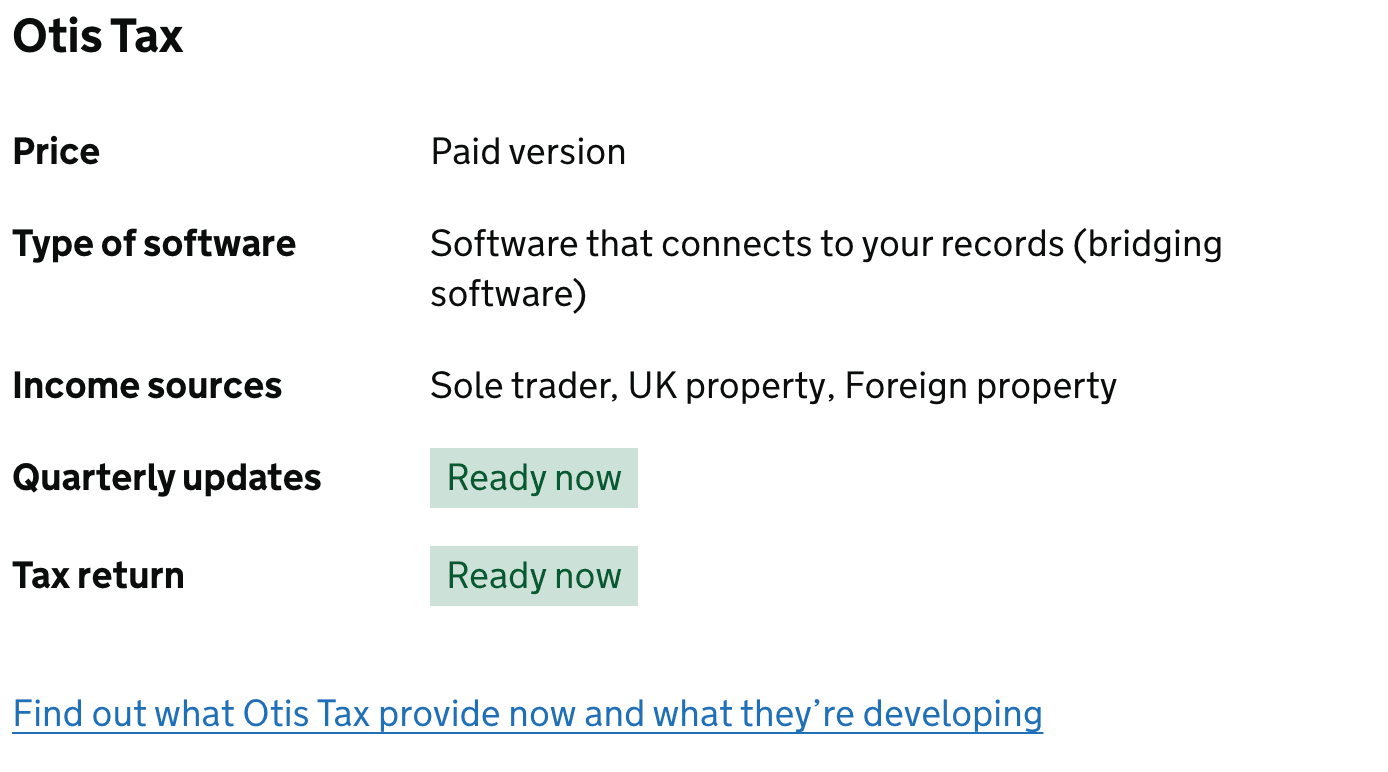
Finding Otis Through the HMRC Software Finder
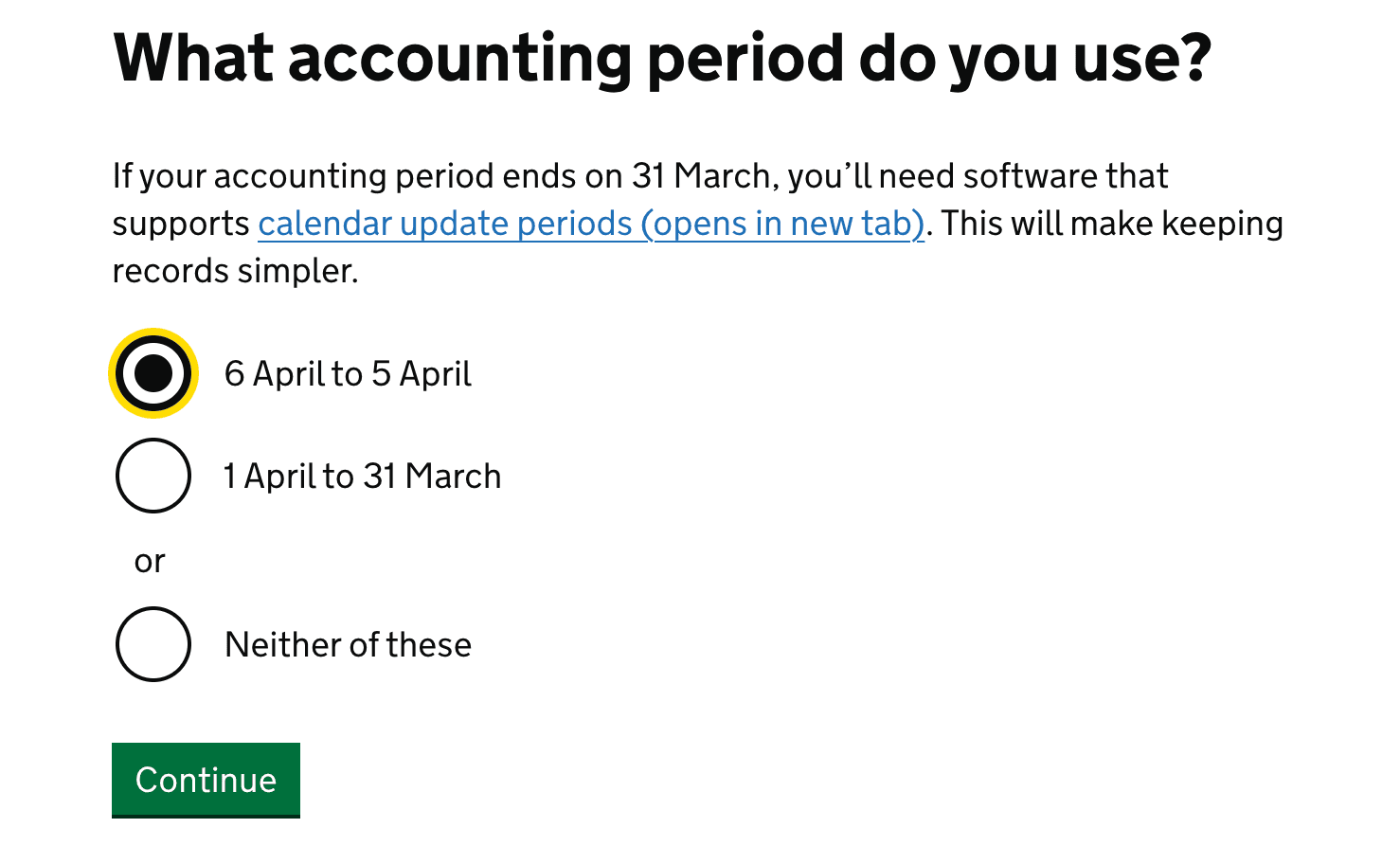
HMRC provides a software finder tool to help self-employed individuals find solutions that meet MTD requirements. While we'd love for you to choose Otis, here's how to navigate the tool and explore your options. Tap a step to expand it.
This filters the tool to show software designed for individual tax reporting rather than corporate solutions.
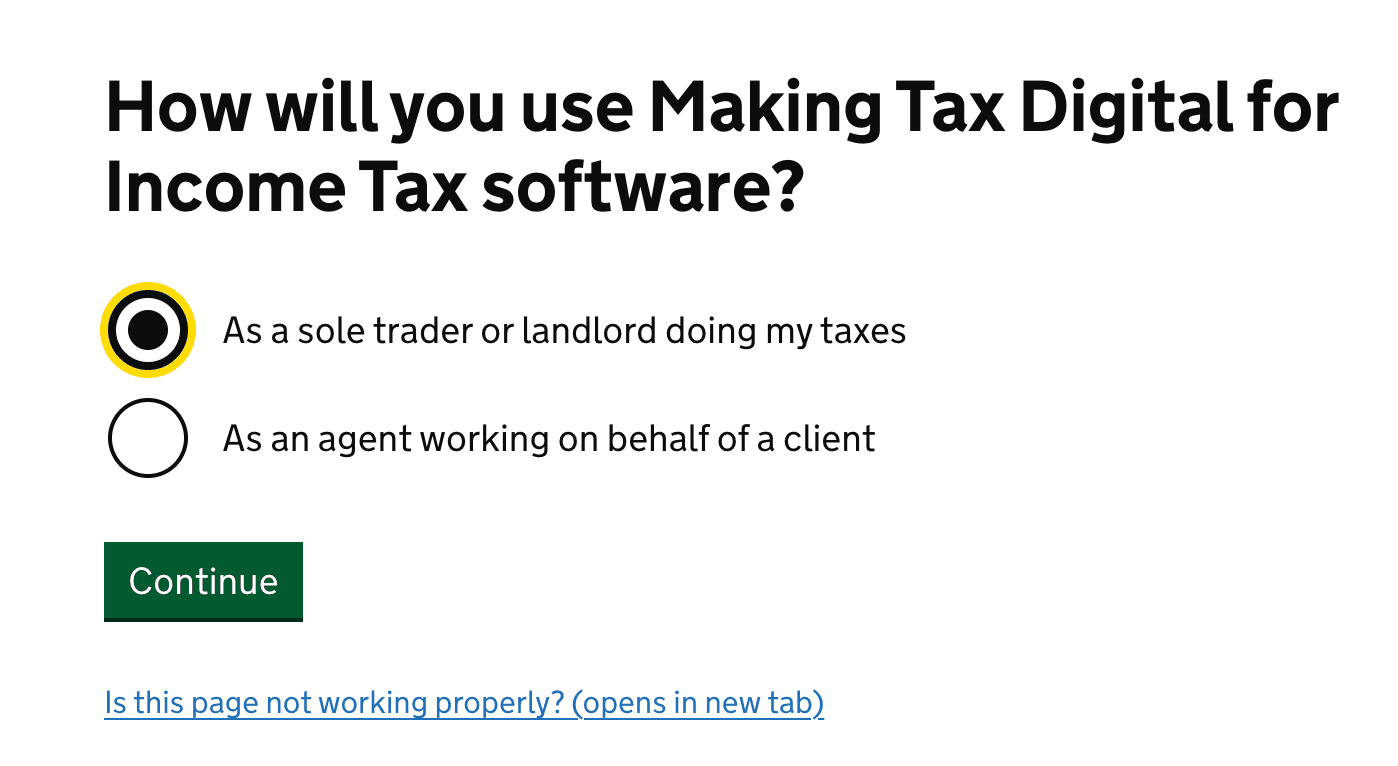
This narrows results to software specifically designed for sole traders and self-employed individuals. If you also have rental income, you can select both options.

Select whether you follow the standard tax year (6 April to 5 April) or use a custom accounting period. Otis works with both options.
Consider whether you need to also report any dividends, interest, or pension contributions to HMRC.

Look for bridging software like Otis that connects your existing records to HMRC without requiring you to learn complex accounting software.
Ready to Get Started?
If you want to get ahead of the April 2026 deadline, get early access to Otis today.